Step-by-Step Walkthrough
From Company Name to
Full Contact List
Follow along as SAP Brasil pulled 707 IT contacts from a single target account in under 30 seconds.
1
Write Your Contact SearchName the Company and Department
In the Landbase chat panel, type a simple prompt specifying the company you want to target and the department you're interested in. No need to navigate to a separate contacts database or build complex filters.
"Find all IT titles working at atacadao.com.brazil"
One sentence. Landbase identifies the company from its domain, confirms the department mapping (IT), and searches for every contact matching that criteria.
Tip
You can search by company domain, company name, or even a description. Using the domain is the most precise way to make sure Landbase matches the exact company you want, especially for companies with common names or international subsidiaries.
A single prompt targeting all IT contacts at Atacadao Brazil.
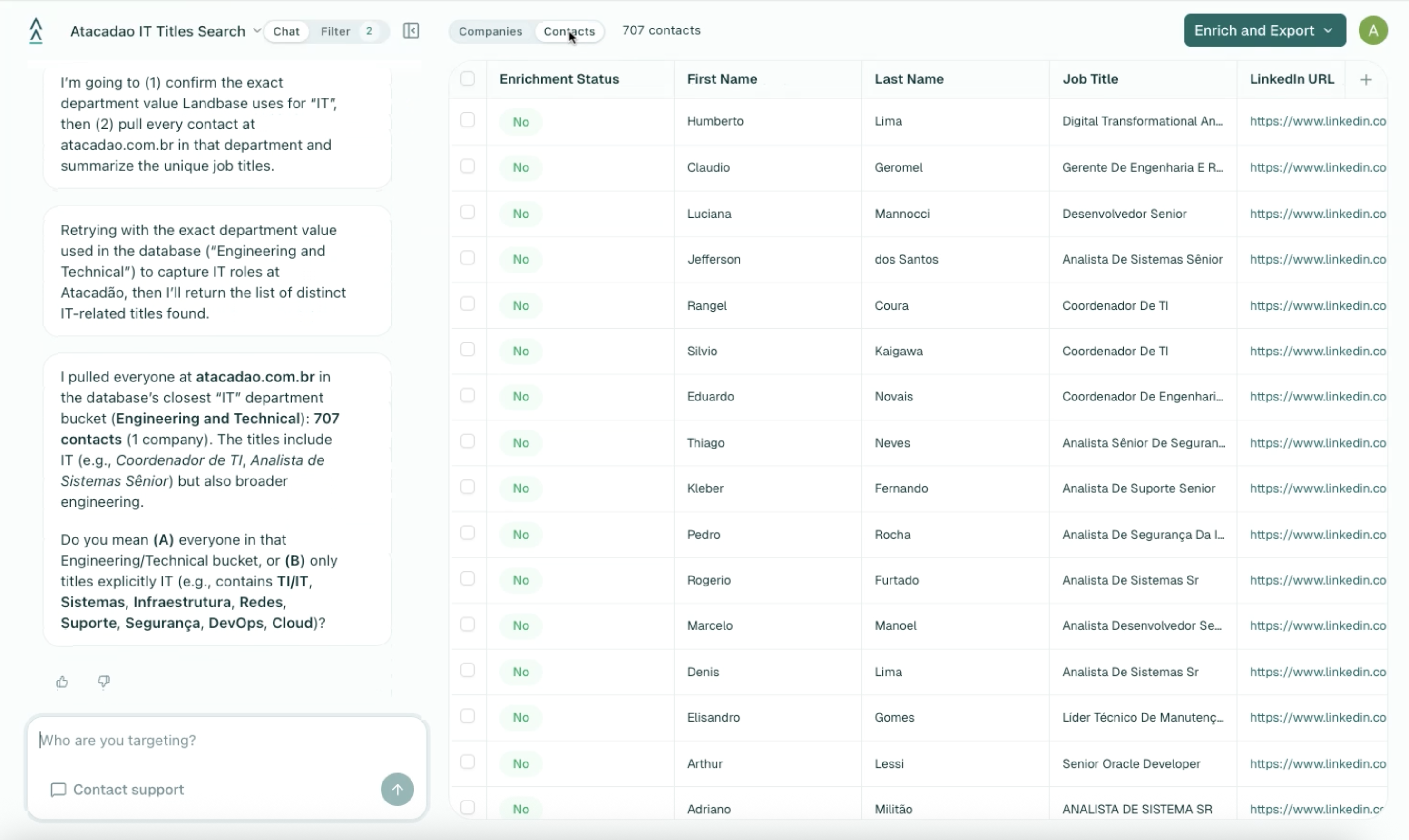
707 IT Contacts in 21 Seconds
Within about 21 seconds, Landbase returns the full contact list. In this search, it found 707 contacts in the IT department at Atacadao, each with their job title, department, and company information.
707IT contacts found
at a single company
~21sTotal search time
from prompt to results
The results include a wide range of IT titles, from Director of IT and Project Manager to specialized technical roles. You can browse the full list directly in Landbase, or refine further with follow-up prompts like "Show me only directors and above."
707 IT contacts at Atacadao, with titles ranging from Director of IT to Project Manager.
One Click to Get Email and Mobile Data
Once you have your contact list, you can request enrichment directly from Landbase. Click "Request Enrichment" and the Landbase team provides enriched data including verified email addresses and mobile phone numbers for your contacts.
You can also refine the list before enriching. If 707 contacts is more than you need, ask a follow-up like "Show me only VP and above" or "Filter to only contacts with LinkedIn profiles" to narrow the list before requesting enrichment.
What You Can Do Next
After enrichment, your contacts are ready for outreach. Export the enriched list to your CRM, add them to a sequence, or use Landbase to build a multi-touch campaign. You can also repeat this process for other departments at the same company, or search across multiple companies at once.
One click to request enriched email and mobile data for all 707 contacts.
.png)
.png)
.png)