.png)
.png)

Daniel Saks
Chief Executive Officer




Zero Trust Network Access is a modern security framework that says, “Never trust, always verify.” Unlike old perimeter-based security (where anyone inside the office network was implicitly trusted), Zero Trust treats every user, device, and connection as untrusted until proven otherwise(9). Every access request is authenticated and authorized based on context – identity, device security, location, time, and more – every single time. In practice, ZTNA means users get only the minimum access required (least privilege) and cannot freely roam the network. Connections are segmented and encrypted, often brokered by a cloud-based service that verifies trust continuously.
This approach is a response to today’s IT reality: users work from anywhere, cloud services proliferate, and attackers frequently exploit stolen credentials to impersonate insiders. In fact, 88% of breaches in certain attack patterns involved stolen credentials(3) – a glaring reason to authenticate everyone, every time. ZTNA solutions create secure, direct connections per application or resource instead of exposing entire networks. They can also outperform legacy VPNs: by connecting users through local cloud gateways, Zero Trust can offer a faster, more consistent user experience than traditional VPN(9). No more slow, all-or-nothing network tunnels – ZTNA verifies who you are and what you should access, then connects you just to that, typically with less latency.
Why does this matter for productivity? With the right implementation, Zero Trust should actually be invisible to your team’s day-to-day workflows. Strong identity verification and granular access controls run in the background, while your users simply log in and get to work. The following core principles show how to achieve Zero Trust security without frustrating your workforce.
One of the fundamental tenets of Zero Trust is least privilege access – giving every user the minimum permissions they need, and nothing more. Instead of broad, standing access rights, users (and systems) are only allowed to reach the resources necessary for their role or task. This containment drastically limits the damage if an account is compromised. It’s also a direct answer to the alarming data around credential abuse: 80% of breaches involve compromised or misused privileged credentials(4). In other words, overprivileged accounts are a hacker’s favorite target. By shrinking everyone’s access footprint, you cut off that attack vector.
How do you implement least privilege without slowing down work? The key is granularity and agility in your access controls. Start by mapping out roles and typical access needs in your organization. Use role-based access control (RBAC) or attribute-based policies to ensure each team, department, or job function only reaches what’s relevant. Crucially, make it easy for employees to request and obtain additional access when legitimately needed (with manager approval or a ticket, for example). This way, you’re not permanently over-provisioning accounts “just in case,” but you’re also not creating a bureaucratic nightmare when someone’s job responsibilities change.
Consider implementing Just-in-Time (JIT) access for highly sensitive resources. JIT means an admin or developer can obtain elevated privileges only for a limited time window to perform a task, and it expires automatically. Modern Privileged Access Management tools support this, removing the need to hand out standing admin rights. It’s a win-win: the user gets what they need when they need it, and the organization isn’t left exposed the rest of the time.
Regular access reviews are another productivity-friendly security boost. For example, automatically revoke access that hasn’t been used in 90 days (users can always request again if needed). This keeps privilege creep in check with minimal disruption. It also signals to employees that permissions are tightly managed, creating a culture where asking for access is normal and expected.
In summary, implementing least privilege means narrowing each user’s access to just what they require. Do it with flexible policies, self-service access requests, and temporary privilege elevation when necessary. When employees feel that “security is watching but helping,” they’re less likely to feel obstructed – and far less likely to become an unwitting insider threat.
In a Zero Trust model, identity is the new perimeter. Verifying that a user (or device or API) is who they claim to be becomes the gatekeeper to everything. This is a shift to an identity-first access philosophy: robust authentication and authorization matter more than the network you’re coming from. After all, with cloud services and remote work, being on the “internal network” means little – a legitimate user might be on a home Wi-Fi, and an attacker might be inside the office. Every access attempt must prove its legitimacy.
Strengthening identity controls is the single most impactful step to stop breaches, and it need not burden your team. Why? Because modern identity solutions can actually make login easier. Think about single sign-on (SSO): instead of juggling dozens of app passwords, users log in once to a centralized portal. It’s secured with a strong factor (like a federated OAuth token or SAML assertion), and thereafter they seamlessly access all their tools. This improves user experience while enforcing central authentication policies. Add in Multi-Factor Authentication (MFA) – a must in Zero Trust – and you dramatically reduce the risk of account compromise. Yes, MFA introduces an extra step, but today’s methods (mobile push notifications, biometric authenticators, hardware keys, etc.) are streamlined compared to old token fobs. Plus, adaptive MFA can “remember” trusted devices or locations and only challenge for a second factor when something is unusual.
The importance of identity-first security is clear from data: stolen passwords are a leading cause of breaches, used in 88% of credential-based attacks(3). Zero Trust means even if an attacker somehow knows your password, they still can’t breeze in – not without that second factor and not without triggering additional verification since their device or behavior will look suspicious. Implementing identity-first access might include unifying your Identity and Access Management (IAM) platform, deploying MFA company-wide (especially for VPN, privileged accounts, and remote logins), and embracing passwordless login where possible. Passwordless options like biometrics or physical security keys can enhance security and save time – users no longer fumble with frequent password changes or resets, which are a huge productivity drain.
Enable single sign-on and session federation for as many apps as you can. If employees can access email, cloud apps, and internal tools with one secure login, they spend less time signing in repeatedly. You’ve tightened security yet made their lives easier. It’s a myth that strict authentication has to be annoying – it can be one-and-done, with invisible re-auth behind the scenes. Monitor authentication logs intelligently: if someone’s device or IP changes suddenly, challenge them with MFA again (this boosts security) but don’t incessantly prompt when there’s no sign of risk (this preserves usability).
In summary, make trusted identity the core of your access strategy. Verify who’s knocking every time, but leverage tools like SSO and adaptive MFA to do it in a user-friendly way. By doing so, you’re not only locking out impostors, you’re also freeing your team from cumbersome login routines – a double win for security and productivity.
Remote and hybrid work are here to stay, and they present a huge test for traditional security models. VPNs and flat internal networks weren’t built for an era when employees work from anywhere on potentially untrusted devices. This is where Zero Trust Network Access truly shines: it enables secure remote work without the bottlenecks of legacy approaches. Instead of forcing all remote traffic through a slow VPN concentrator, ZTNA solutions connect users directly to the specific applications or services they need, usually through a cloud gateway. The connection is still encrypted and safe, but it doesn’t put the user “on the network” in the traditional sense – there’s no opportunity to wander into sensitive file shares or servers they shouldn’t touch.
The benefit? Your remote team gets fast, transparent access, and your security team gets peace of mind. The scale of the challenge is clear: 91% of cybersecurity professionals reported an increase in cyber-attacks due to the shift to remote work(6). Attackers are pouncing on VPN weaknesses and unsecured home setups. In fact, 56% of organizations experienced breaches exploiting VPN vulnerabilities in the past year(8). It’s no wonder 65% of companies plan to replace or augment VPNs with Zero Trust solutions within the next year(8). The old “authenticate once for a wide-open network” model is simply too risky.
To implement Zero Trust for remote access, consider a Security Service Edge (SSE) or ZTNA platform that acts as a broker. When a remote user requests an internal app, the service authenticates their identity (and device posture), then tunnels them only to that app – nothing more. From the user’s perspective, it might be as simple as going to a web portal and clicking the application, or an agent on their laptop that silently connects them. Newer agentless ZTNA approaches even let users access apps via their standard web browser (more on this in the next section). The result: remote employees don’t feel much difference between accessing a cloud SaaS app and an internal app – both are one click away, and both require them to be verified continuously. No need to launch a clunky VPN client, no random disconnects, and no full network latency.
A great example is how Zero Trust can handle a contractor or third-party needing access. Under a VPN model, you might have had to create a special network zone or ship them a device. With ZTNA, you can send them an invite link to your ZTNA portal – once they verify their identity, they get a secured web access session to exactly the tools they need (say, a project management server), and nowhere else. When their contract ends, you simply deactivate their account. This granularity reduces risk and also simplifies the user’s experience by presenting only relevant options.
Performance is a common worry with remote security. Here, Zero Trust can improve it. Leading ZTNA providers have global edge networks, so a remote employee in London connects to a nearby cloud edge and goes straight to an app in, say, AWS or Azure, rather than tromboning through your central office network. Fewer hops, less congestion. As one industry report noted, Zero Trust Network Access enables faster, more direct connections to cloud apps, often speeding up remote access compared to VPN. Of course, you’ll want to optimize and test, but the architecture inherently favors distributed performance.
In practice, making remote work secure under Zero Trust involves a few steps: (1) Inventory your remote access use cases – which apps do users need remotely and who should access them. (2) Pilot a ZTNA solution for a subset of apps/users to gather feedback. (3) Train your employees on the new access method (the goal is it should be intuitive – if it’s a browser-based portal or a lightweight app, most will find it simpler than legacy VPN). (4) Gradually phase out reliance on legacy VPN, perhaps keeping it only for rare cases, and move the majority of workflows to the Zero Trust platform. Monitor the heck out of it: verify that productivity remains high (survey your users) and measure access speeds, ticket volumes, etc. to ensure you’re not introducing new friction.
Zero Trust Network Access lets your team work securely from anywhere without the usual headaches. By eliminating broad network trust and using context-aware authentication for each session, you actually strengthen security and streamline the user experience for remote work. In the era of hybrid offices and digital nomads, that’s a game-changer.
When implementing Zero Trust, one choice you’ll encounter is agent-based vs. agentless solutions. Agentless ZTNArefers to providing Zero Trust access without installing special software on the user’s device. Instead, access is delivered through web protocols (like a browser) or existing native capabilities. Why does this matter? Because every agent or app you require users to install is a potential point of friction and maintenance. Agentless ZTNA offers a compelling route to quick, hassle-free rollout – especially for securing third parties and BYOD (Bring Your Own Device) scenarios – with minimal impact on the user’s device or routine.
In an agentless model, a user typically navigates to a login page for your Zero Trust portal using their web browser. After they authenticate (with SSO/MFA as configured), they see the internal applications they’re allowed to access – again presented as web links. When they click one, the ZTNA service brokers a secure connection (often using reverse proxy or browser isolation technology) to that internal app, without any local client. For web-based apps, it might even stream the application through the browser. For certain non-web apps, some agentless solutions use browser-based secure remote desktops or similar techniques. The technical details aside, the takeaway is that from the user’s perspective, access becomes as simple as visiting a website. This dramatically lowers the barrier to adoption. A newly onboarded remote employee or a partner can start working in minutes, since you’re not spending time deploying and configuring agents on their device (which might not even be corporately managed).
Security-wise, agentless ZTNA still enforces the full Zero Trust checks in the cloud before granting access. It may have a bit less insight into the device’s security posture compared to an installed agent, but many solutions mitigate that by integrating with device posture services or by limiting agentless access to less-sensitive apps. The benefit is clear when you have a mix of corporate and personal devices: say you want contractors to use their own laptops – you can let them access via agentless ZTNA (perhaps giving read-only or limited functionality if needed), rather than insisting on them installing company software or using VDI. This removes a common productivity roadblock: “I can’t access X because I’m not on a company machine.” Zero Trust shouldn’t mean “only works on company-imaged devices” – if done right, it means you can securely enable work on any device by tailoring the access method.
It’s not just for contractors. Even your full-time staff might appreciate agentless access in certain cases. For instance, if someone needs to quickly log in from a personal iPad or a friend’s computer in a pinch, agentless access can accommodate that without a heavy install (while still requiring MFA and maybe restricting downloads for safety). The flexibility can keep people productive in all sorts of situations.
To implement agentless ZTNA, coordinate with your IT team on which applications can be delivered via browser and ensure those apps are web-accessible (some legacy apps might need a bit of enablement, like publishing through a connector or using an RDP-to-browser gateway). Pilot with a small group to iron out any user experience kinks. Pay attention to browser compatibility and user guidance – for example, if your ZTNA portal works best in Chrome or requires a certain extension for optimal use, let people know upfront. The good news is that many ZTNA providers have made agentless access very smooth, as it’s a major selling point.
One caveat: not every single application will work agentlessly (for example, very latency-sensitive desktop apps or VoIP might still do better with an agent). But a hybrid approach is fine – you can use agents for a subset of needs and agentless for the rest. The overarching goal is to minimize the footprint on the device and make security as invisible as possible. Every agent you don’t deploy is one less thing consuming memory, one less update to manage, and one less potential conflict on a user’s machine. That translates to fewer IT support tickets and a happier, more productive team.
In summary, agentless ZTNA is about combining strong Zero Trust enforcement with zero install for the user. It exemplifies the philosophy of “security that works for you, not against you.” By leveraging the power of the cloud and the browser, you extend secure access universally, quickly, and with virtually no training needed – click, login, and you’re in. As you modernize your security, consider where agentless approaches can give you an edge in user adoption and agility.
Zero Trust isn’t just a security paradigm for IT teams – it’s also a major driver of investment in the cybersecurity market. If your company provides security solutions (for example, ZTNA software, identity management tools, or consulting services), you’ll want to know when other organizations are gearing up to implement Zero Trust. Certain organizational signals are strong indicators that a company is likely evaluating or needing Zero Trust Network Access. Tapping into these signals can give your sales and marketing teams a head start in connecting with the right prospects at the right time. Here are four key “buying triggers” to watch:
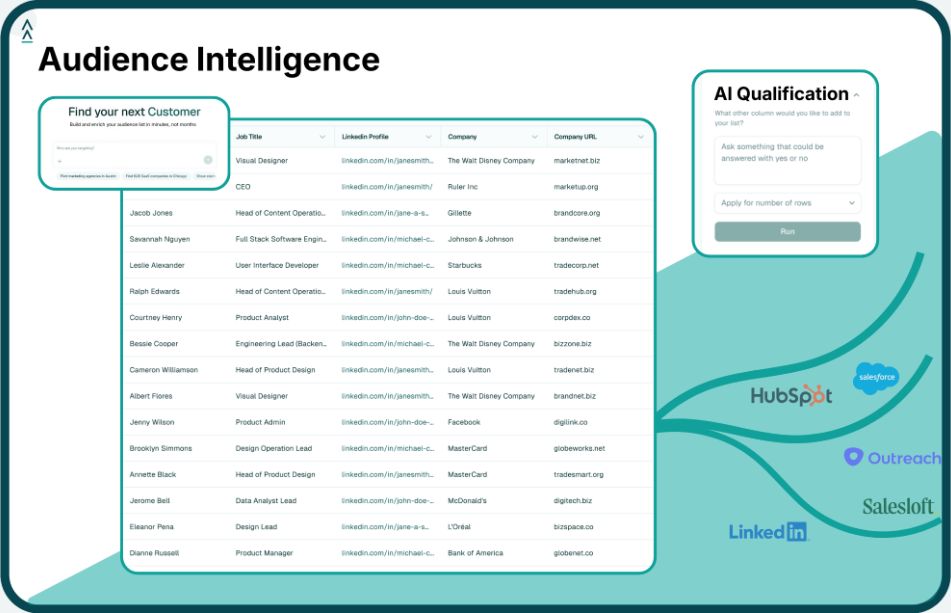
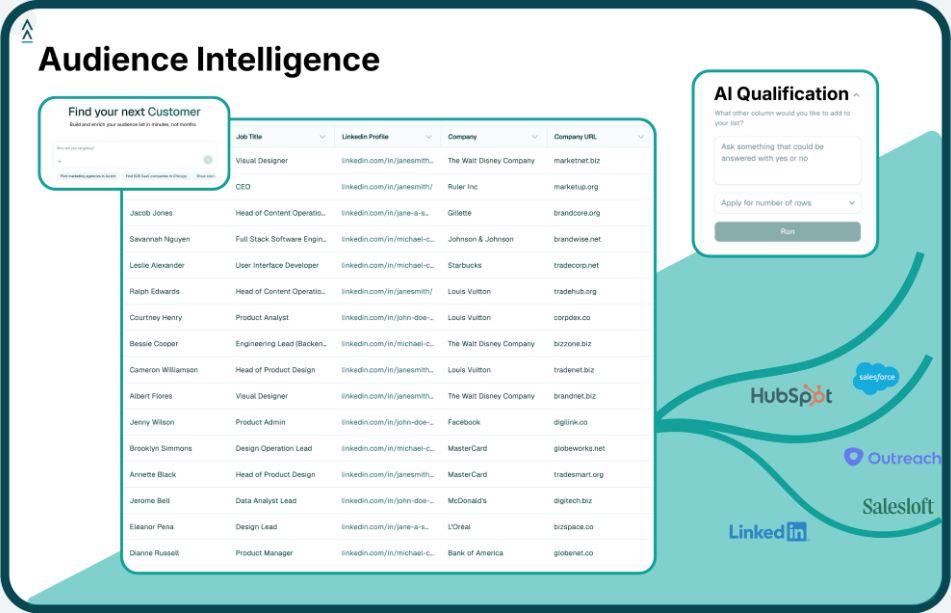
These signals are essentially early indicators of Zero Trust “readiness” or urgency. Modern sales intelligence platforms (like Landbase’s Agentic AI data platform) specialize in detecting such triggers across millions of companies. For instance, Landbase can automatically surface when a target account hires a new CISO, when it deploys a technology like Okta or Duo (new tool adoption), or when it’s hiring lots of remote positions – all in real time. By leveraging these insights, your team can reach out with a relevant message (“Noticed you have a new security lead – here’s how others in that role quickly rolled out Zero Trust in their first 100 days”) and beat the competition to the conversation.
In short, aligning your go-to-market strategy with Zero Trust adoption signals turns random outreach into well-timed consulting. It shifts the dynamic from selling a product to helping solve a pressing problem that the prospect likely already knows they have. As you implement Zero Trust internally, don’t forget to also implement a strategy to find your next customers who are on the same journey.
Adopting Zero Trust Network Access is no longer an option reserved for cutting-edge tech giants – it’s quickly becoming the baseline for security in organizations of all sizes. The good news is that Zero Trust does not have to mean zero productivity. By following the principles outlined – least privilege access, identity-first authentication, modern remote access solutions, and agentless deployment – you can strengthen security while actually enhancing the user experience. Remember that culture and communication are as important as the technical controls: bring your team on board by explaining why Zero Trust matters (to protect them and the company), and highlight how these changes (like SSO or faster cloud access) benefit them day to day. When employees see security improvements making their work smoother, not harder, you’ve won half the battle.
It’s also important to phase your Zero Trust implementation in a sensible way. You don’t have to flip the switch overnight. Start with high-impact areas (for example, enforce MFA and SSO for all critical apps, or pilot ZTNA for remote access to a particularly sensitive system). Collect feedback, demonstrate quick wins, and iterate. Security is a journey, and Zero Trust is a continuous mindset of improvement. In fact, many CISOs describe Zero Trust as “a 10-year program that you continuously refine”. Take it step by step, and avoid overwhelming your IT staff or end-users with too much change at once. Incremental progress – say, implementing just-in-time privilege this quarter, and rolling out a ZTNA pilot next quarter – will still dramatically reduce your risk. Each step you take reduces the attack surface (often by double-digit percentages), making breaches less likely or less damaging.
Crucially, measure and celebrate the outcomes. Are support tickets related to VPN access dropping? Are fewer account resets needed after moving to SSO? Did your latest security audit show fewer high-risk findings? Share these wins with both executives and employees. When people see tangible results – like the fact that companies with mature Zero Trust had $1.76 million lower breach costs on average(5), or that 87% of organizations report fewer security incidents after adopting Zero Trust(7) – it reinforces that the effort is worth it. Security becomes a competitive advantage, not a tax on productivity.
In conclusion, implementing Zero Trust Network Access is one of the best moves you can make to protect your organization in today’s threat landscape. And with a thoughtful, user-centric approach, you can do it without slowing down your team – in fact, you might speed them up. Strong security and a fast, agile workforce are not mutually exclusive; with Zero Trust, they go hand in hand.
Tool and strategies modern teams need to help their companies grow.